

EW External Walls
Editing in progress…⏭️
The vertical enclosure around the building other than
“Windows” and “External Doors” from “Substructure” to “Roof”.
It INCLUDES structural walls; basement walls and tanking above lowest floor finish; spandrel, curtain and window walls; external shop fronts; glazed screen walls; columns and isolated piers to non-framed (load bearing) structures; gallery and balcony walls and balustrades; solar screen walls; plant room air flow screens; all insulation to external walls; all external finishes to all columns, slab edges, beams, projecting overhangs and walls; lintels and flashings at openings; ring beams and stiffening beams not integral with floor, ceiling or roof slabs.
It EXCLUDES all internal finishes to external walls (except screens and the like) and columns (WF); sills, thresholds and linings (WW, ED); walls in “Roof” (RF) and “Substructure” (SB) and all doors (ED); sun protection to windows (WW) and sunhoods integral with floors (UF); fire places, hearths, flues and stacks (SH, SS); beams integral with slabs (UF, RF).
Verify Element Properties
External walls may consist of structural and non-structural walls. Besides walls, the AIQS External Walls element includes curtain and window walls; columns and isolated piers to non-framed (load-bearing) structures; and gallery and balcony walls and balustrades. This means other Categories, such as Railings, are also involved.
Let’s open the Architectural and Structural models and run QTO on the following Categories to find out: Walls (architectural and structural), Railings, and Curtain Walls – panels (m²) and mullions (m).
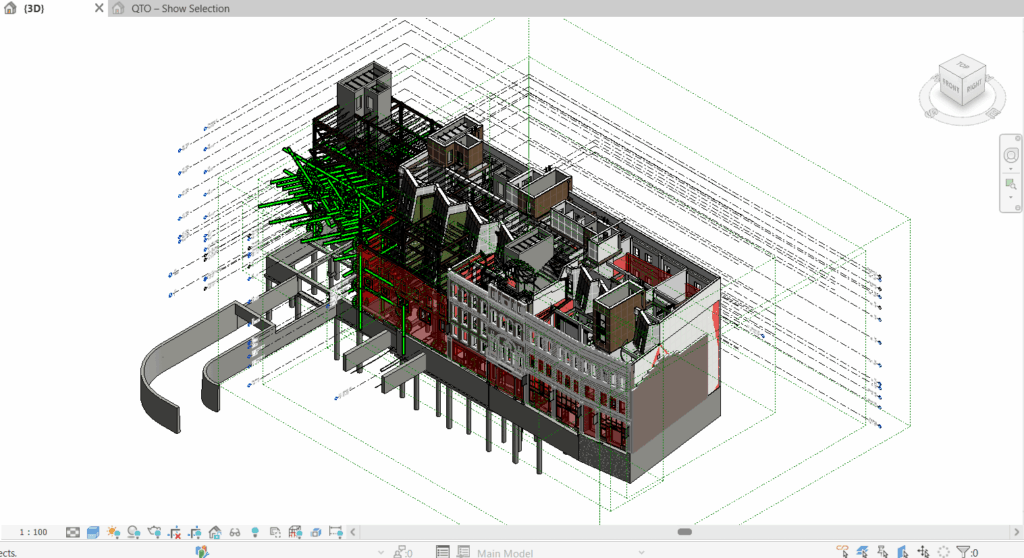
External Walls
The QTO Schedule separates internal and external elements in the Scope column: when the modeller sets an element’s Function to “Exterior”, it is labelled External in the Scope column. However, we need to check external walls that have not been set to “Exterior”.
For external walls that have not been set to “Exterior”, use QS Settings → Set External Wall to group them under Scope: External, with a stamped note in the System Note.
We do not change the way the modeller designed the model; we only adjust the grouping for cost management purposes, without interfering with their model.
Once the external walls are separated from the internal walls, billing them to the Workbook is straightforward.
Structural Walls Below Lowest Floor Finish
Note that we measured the elevator pit walls below the lowest floor finish manually, so adjust for them here by “deduction”.
Balustrade
Note also that some of the balcony balustrade railings were billed under Staircases; we move them back here.
Curtain Wall Panels and Mullions
ANZSMM Measurement Rules
The Trade Sections of ANZSMM that are relevant to the element of External Walls in cost planning are: 6. Concrete, 7. Formwork, 8. Reinforcement, 11. Tanking and Waterproof Membranes, 12. Masonry, 13. Stonework, 17. Facade Systems.
The general unit of measurement is area (m²). The category rule for cast in-situ concrete walls is:
50 mm thickness stages stating the area in m2
To Take Note
Measurement and Billing
Quality Assurance (QA) Checks
Try this on your own models
Everything in this book works in QSKing QTO for Revit® and in QSKing 5D, which measures your consultants’ IFC models with the same rules. Download QSKing 5D free for 30 days: Windows 10/11, no card needed.