

CL Columns (Framed Buildings)
The upright supports to upper floors and roof forming part of a framed structure.
It INCLUDES internal and external columns from tops of columns to bases; column casings; all protective non-decorative coatings.
It EXCLUDES portal frames (RF); columns to non-framed (load bearing) structures (EW, NW); columns supporting awnings and attached covered ways (RF); columns supporting exposed attached external stairs (SC); all finishes (EW, WF).
Note: Columns below lowest floor finish (eg. in filled areas) are included in this element because of the impracticability of splitting a column into two elements.
Verify Element Properties
This cost plan element is a straightforward extraction from the Revit default Structural Columns category. In this project, columns comprise cast in-situ concrete and structural steel columns.
The default unit of measurement for both cast in-situ concrete and structural steel columns is volume (m³).
ANZSMM Measurement Rules
The units of measurement for cast in-situ concrete and structural steel are volume (m³) and mass (t) respectively.
14. Structural Steel
- M6. Measure all steel sections and plates in multiples of 0.1 m in length for the calculation of mass,
- stating the number and individual measured lengths of each section.
To Take Note
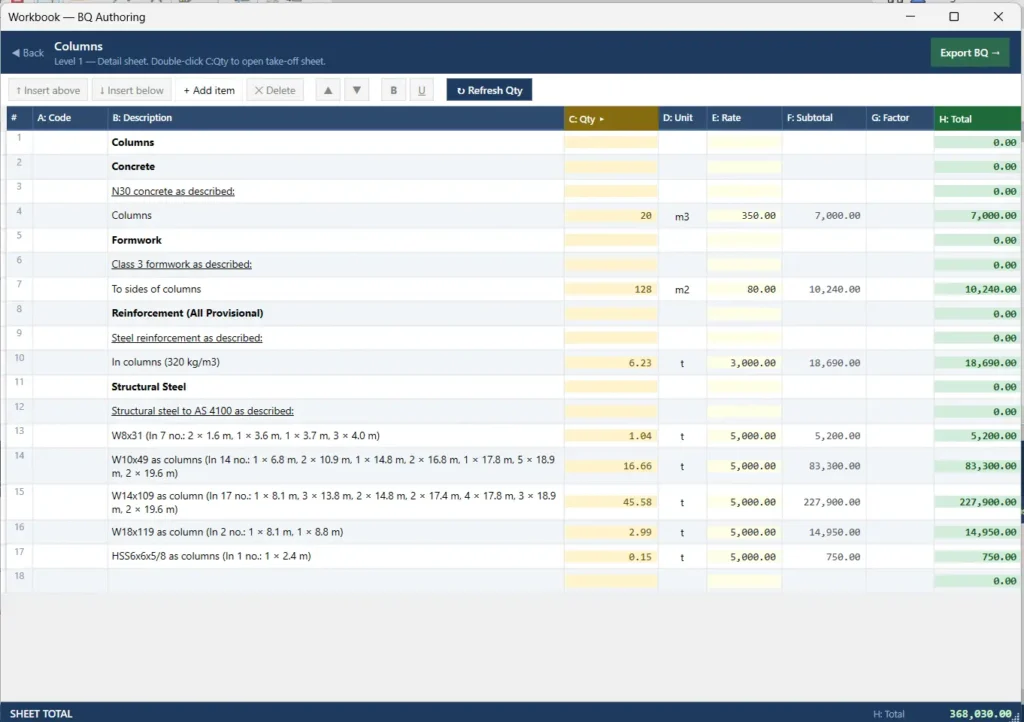
- The default unit of measurement for structural steel (m³) has been recoded to length (m) in the QTO Schedule. For structural steel members with mass naming, line item quantities are automatically converted to mass (t) by multiplying by the respective member conversion factor when linked in the Workbook.
- For members without mass naming, add their conversion factor in the Steel Section Library. Once the line item is linked between the QTO Schedule and the Steel Section Library, no further work is needed. All linked quantities in the Workbook will be in mass (t).
- In Level 1 B: Description, the number of linked items will automatically appear as “(In N no.)” at the end of the description. It will be removed when the line items are deleted or unlinked in the Workbook.
Quantity Extraction
Use VG to isolate the structural columns on the canvas, Run the following QTO quantities:
- Structural Framing and Columns
- Formwork.
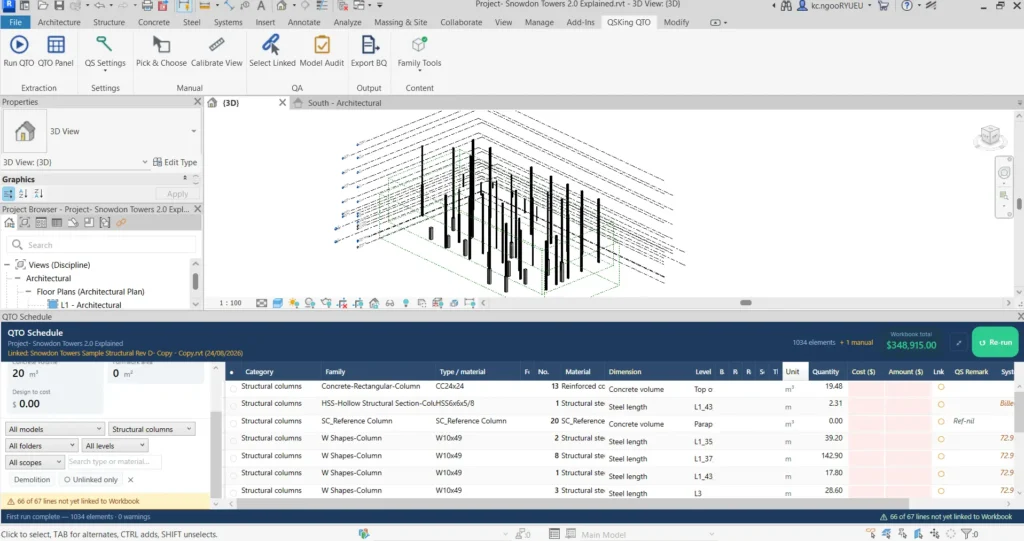
The line item Family: SC_Reference Column has no quantities attached. As it is not a structural steel element, add the QS Remark “Ref-nil” for future reference.
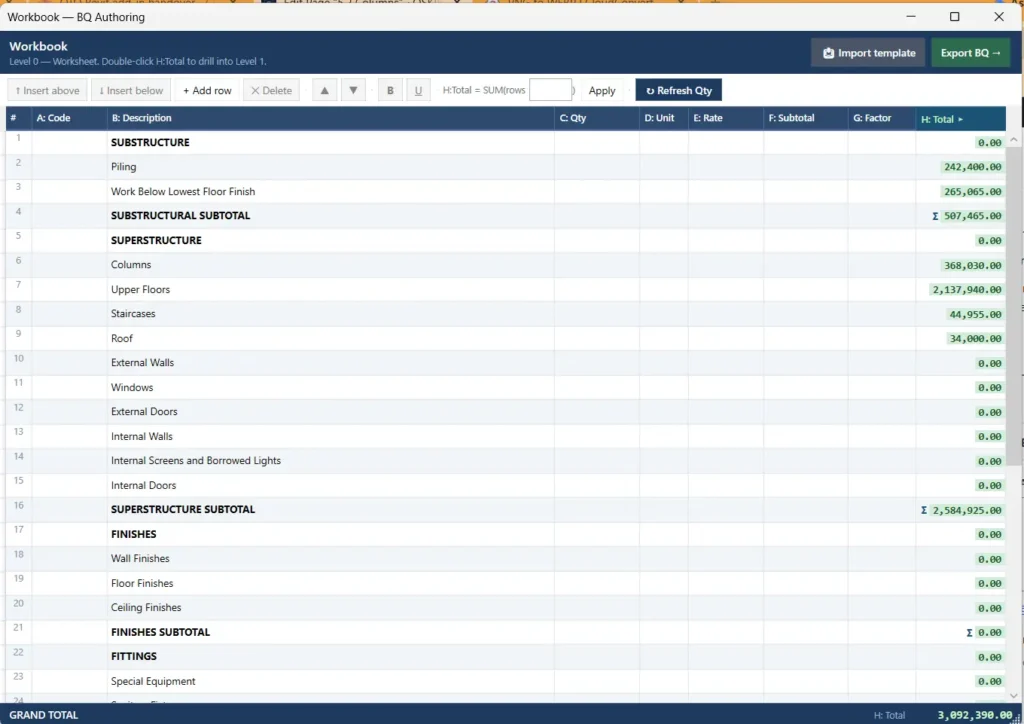
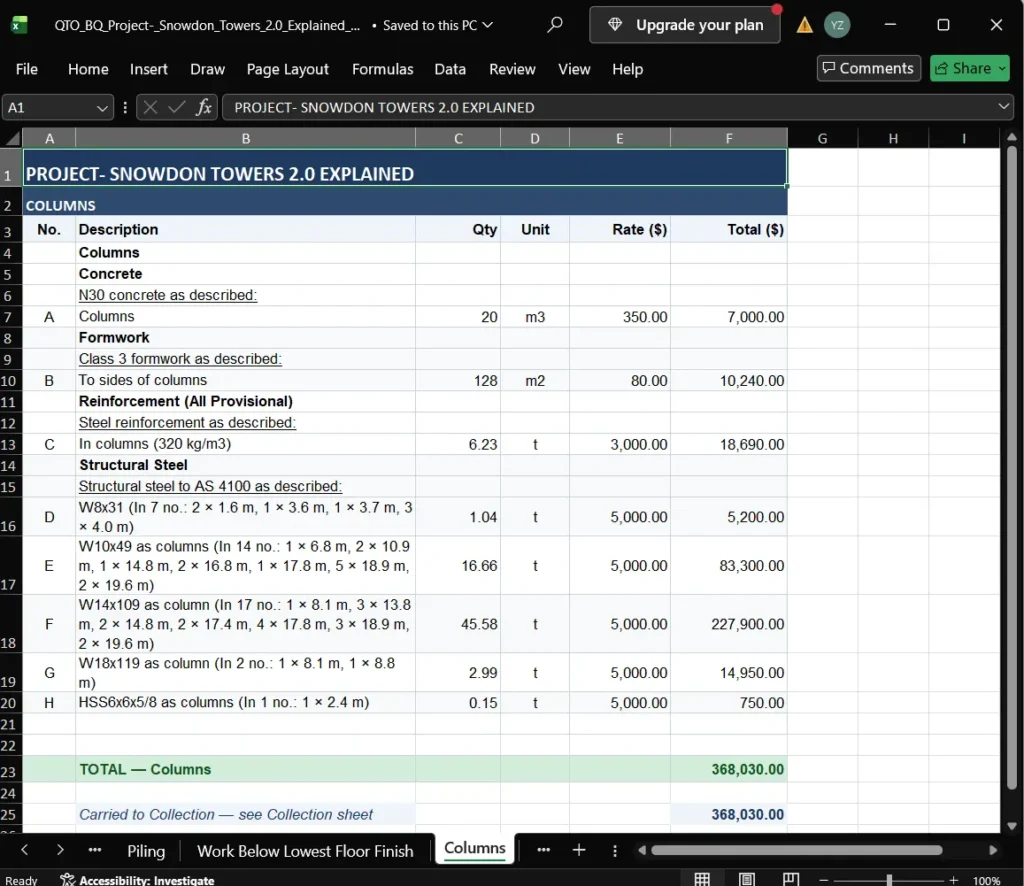
Your completed Columns element in the Workbook and Export BQ should look like this:
Quality Assurance (QA) Checks
Summary
| Category | Cost Plan Elements | QTO Schedule | Linked to Workbook / Excluded |
|---|---|---|---|
| Structural Columns | Concrete columns Structural steel columns | 14 lines | 13 lines linked + 1 line unlinked Ref-nil qty (Excluded) |