

Think of it as asking your assistant to prepare a quantity takeoff that’s ready for billing.
The Run QTO command opens the Run Quantity Takeoff panel, where you choose which element categories to extract. The panel is divided into the following sections:
- Model phase: Either New Construction (default) or Existing. Select Existing for extension and renovation works.
- Model maturity: LOD 100, 200, 300 or 350. This records the model’s level of development, and the selection is printed on the exported BQ Summary sheet to indicate the stage of the cost plan or estimate.
- Measurement standard: NRM2 or ANZSMM. ANZSMM is currently the active standard, and the measurement standard can be customised to suit your requirements.
- Include element categories: Covers all standard Revit categories, i.e. modelled elements.
- Derived items (QS rules): Covers non-modelled items such as formwork and excavation.
- Advanced options: Selecting Include linked models extracts quantities from models linked into the host file.
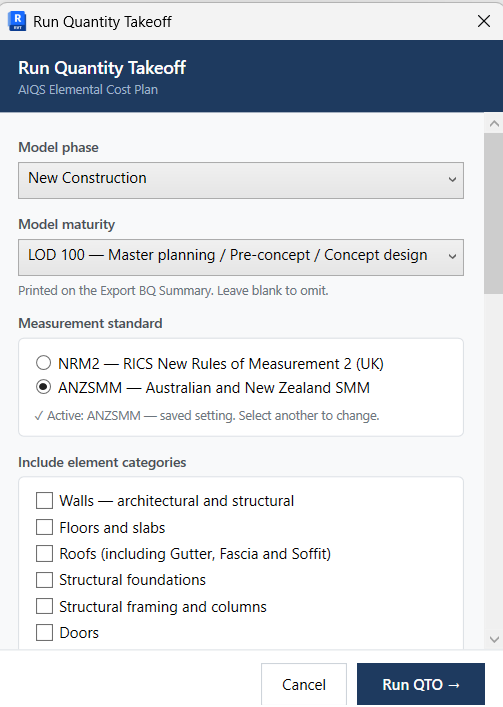
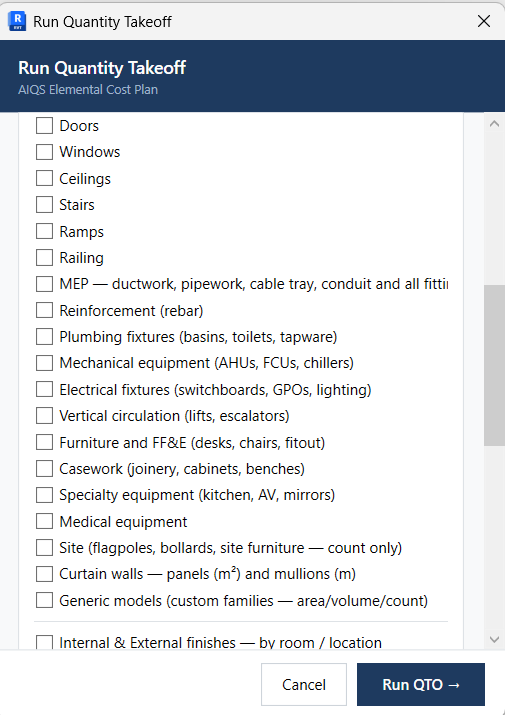
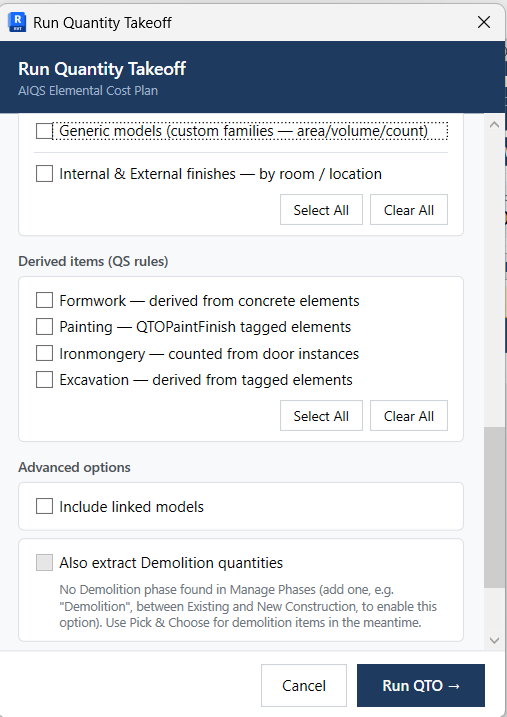
The Run QTO command lets you select which categories of element quantities you need for billing and link them to the Workbook. You can choose a single category, a group of categories, or all of them to extract every quantity and line item you need. Extraction takes only seconds: no waiting and no formulas to enter. Just click Run QTO.
To keep runs quick
- Tick only what you need for that stage. For example, leave Finishes and Painting off until you’re pricing them.
- Leave Formwork off for early cost plans if you’re not measuring it yet.
- Untick Include linked models when you’re only changing host-model items.
- Use Re-run (↺), which repeats your last ticks without reopening the dialog.
A category in Revit works much like an AIQS Cost Plan Element or an ANZSMM Trade Section. For example:
| Revit Category | AIQS Elements | Trade Sections |
|---|---|---|
| Structural Foundations (Piling, footings, ground slab, ground beams) | SB Substructure | 6. Concrete |
| Structural Columns | CL Columns | 6. Concrete |
| Structural Framing (floor beams) | UF Upper floors | 6. Concrete |
Once you understand the elements within each category, you’ll know where to find the quantities and line items you want to extract with the Run QTO command. All extracted quantities will appear in the QTO Schedule.